darktable
open source photography workflow application and raw developer
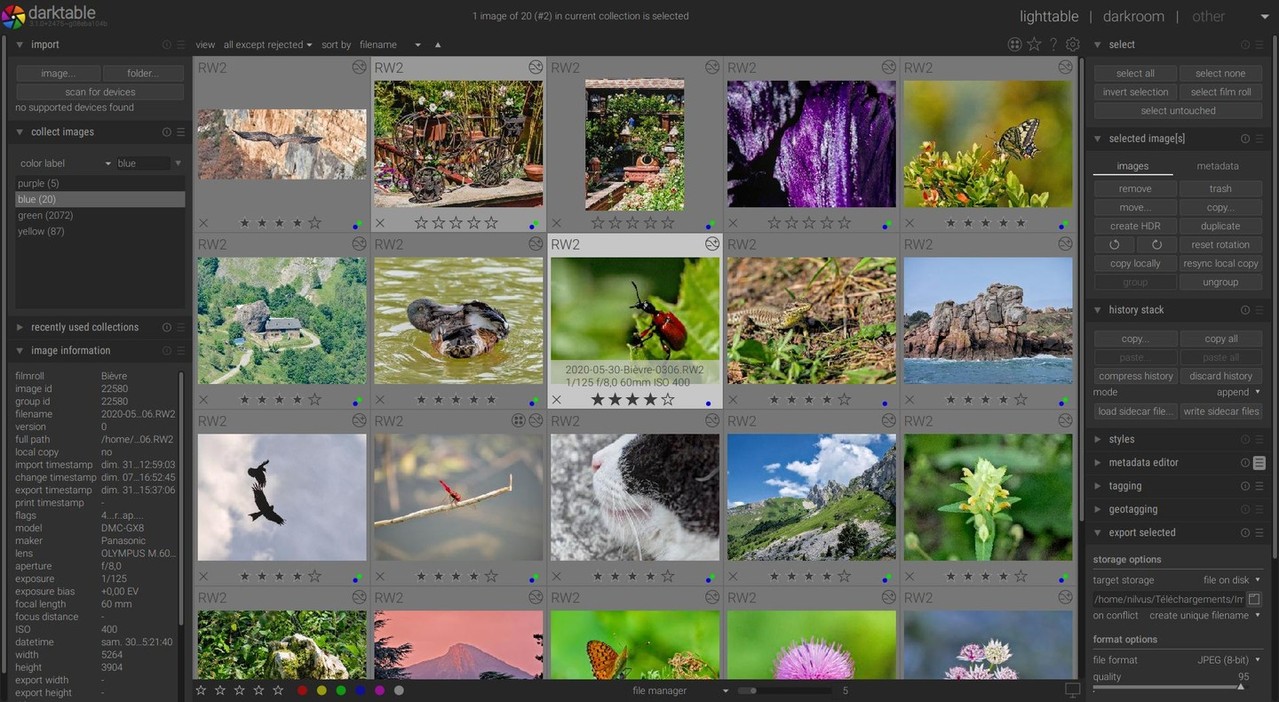
darktable is an open source photography workflow application and raw developer. A virtual lighttable and darkroom for photographers. It manages your digital negatives in a database, lets you view them through a zoomable lighttable and enables you to develop raw images and enhance them.
darktable is created for photographers, by photographers.
Having developers that are also avid photographers as part of the target audience is good for understanding the real world problems, challenges, and workflows.
Raw images
Raw is the unprocessed capture straight from the camera’s sensor to the memory card, nothing has been altered. There are multiple alternatives in the open source world for raw development (ufraw, dcraw, rawtherapee) but darktable tries to fill the gap between the excellent existing free raw converters and image management tools (such as e.g. ufraw, rawstudio, f-spot, digikam, shotwell). It focuses on the workflow to make it easier for the photographer to quickly handle the thousands of images a day of shooting can produce. It’s also one of the very few FOSS projects able to do tethered shooting.
Features
- Non-destructive editing throughout the complete workflow, your original images are never modified.
- Take advantage of the real power of raw: All darktable core functions operate on 4x32-bit floating point pixel buffers, enabling SSE instructions for speedups.
- GPU accelerated image processing: many image opertions are lightning fast thanks to OpenCL support (runtime detection and enabling).
- Professional color management: darktable is fully color managed, supporting automatic display profile detection on most systems, including built-in ICC profile support for sRGB, Adobe RGB, XYZ and linear RGB color spaces.
- Cross platform: darktable runs on Linux, Mac OS X / macports, BSD, Windows and Solaris 11 / GNOME.
- Filtering and sorting: search your image collections by tags, image rating (stars), color labels and many more, use flexible database queries on all metadata of your images.
- Image formats: darktable can import a variety of standard, raw and high dynamic range image formats (e.g. JPEG, CR2, NEF, HDR, PFM, RAF … ).
- Zero-latency, zoomable user interface: through multi-level software caches darktable provides a fluid experience.
- Tethered shooting: support for instrumentation of your camera with live view for some camera brands.
- Speaks your language: darktable is also translated into more than a dozen different languages. As the list of supported translations changes with each release, you are advised to check the news page for more details.
- Powerful export system supports Piwigo webalbums, disk storage, 1:1 copy, email attachments and can generate a simple html-based web gallery. darktable allows you to export to low dynamic range (JPEG, PNG, TIFF), 16-bit (PPM, TIFF), or linear high dynamic range (PFM, EXR) images.
- Never lose your image development settings darktable uses both XMP sidecar files as well as its fast database for saving metadata and processing settings. All Exif data is read and written using libexiv2.
- Automate repetitive tasks: Many aspects of darktable can be scripted in Lua.