OpenToshAboutStatsNewsCollectionsFind AppsSubmit App
100%
Loading time...

Notification Center

Monday, Aug 24

HM

Message from Hamza

Author & Creator

Online

Welcome to OpenTosh! I created this platform to bring together the best of macOS retro and modern layouts for the web. Explore, search, and submit your favorite apps!

Cupertino

Partly Cloudy •

21°
H: 24°L: 14°
AQI 32Good
Sunny
StocksApple Inc. & Markets
Dow Jones
53,277▲ +1.2%
S&P 500
7,674▲ +0.8%
AAPLApple Inc.
309.35▼ -0.4%

MT Newswires

Nvidia, Fed Outlooks Dull Wall Street Bell; Asia Off, Europe Up

News FeedTech & Open Source
Swift.org

Swift updates expand to embedded & bare-metal devices

2 hours ago

GitHub Trend

Ghostty terminal developer releases major optimization build

5 hours ago

WebKit News

CSS Glassmorphism filters standard finalized in modern browsers

Yesterday

OpenTosh System Updates

  • v1.2.0: Added macOS Notification Center & widget stack
  • Fixed top Menu Bar layout and added full set of status icons
  • Launchpad search speed & keyboard responsiveness improvements
MacDown - App Details
Back to directory
MacDown

MacDown

Native Markdown Editor for macOS

Tags:#Editor#Editors#Markdown#Productivity#Publishing#Text#Tool#Tools#Web#Writing#Markdown#editor#editors#text#writing#productivity#tools#tool#publishing#web
License
MIT license
Platforms
macOS
Other Platforms
None

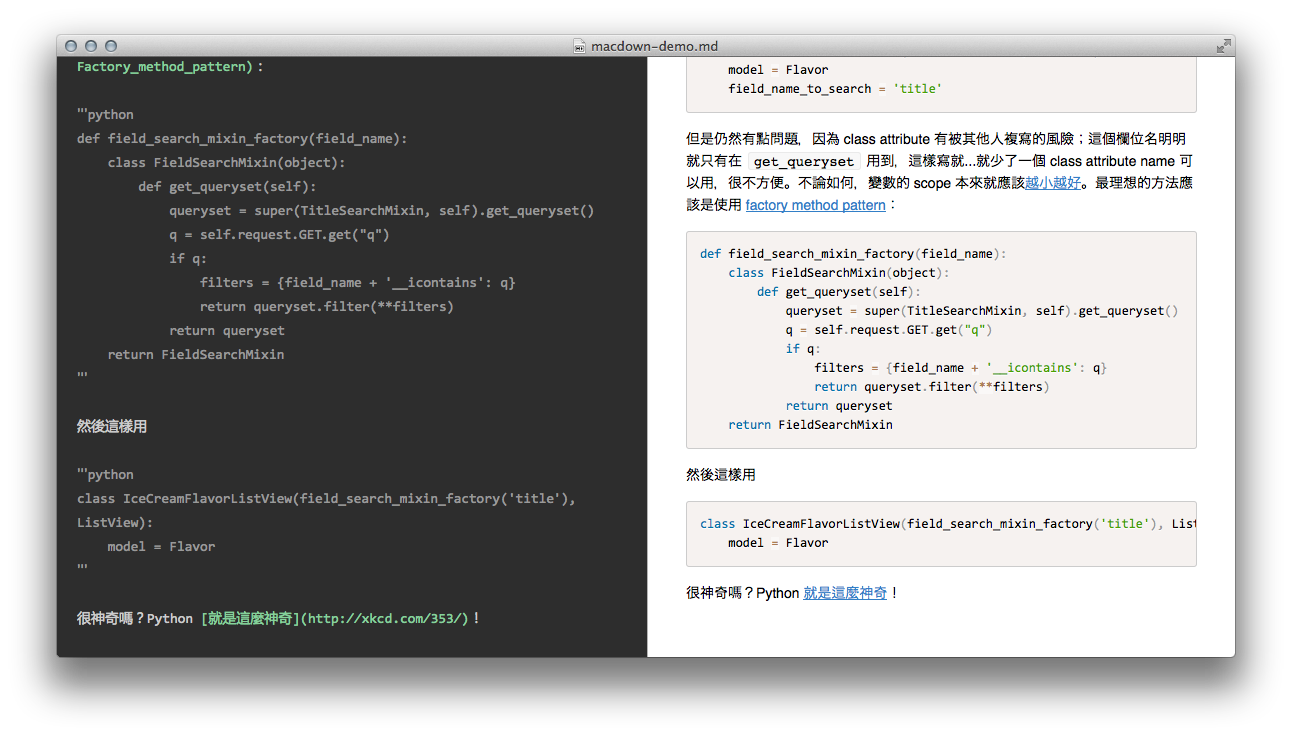
MacDown is an open source Markdown editor for macOS, released under the MIT License. It is heavily influenced by Chen Luo’s Mou.

Features

  • Markdown Rendering
  • Additional Rendering Tools
  • TeX like math Syntax
  • Tasks list
  • Jekyll front-matter
  • Syntax Highlighting
  • Auto-completion
  • Many themes

Hightlights

  • Highly customizable Markdown rendering.
  • Syntax highlighting in fenced code blocks.
  • Sophisticated auto-completion.

Install with Homebrew

bash

brew install --cask macdown.
Similar Apps

7-Zip
7-Zip License

7-Zip

a file archiver with a high compression ratio.

iZip
freeware

iZip

Manage Zip and Compressed file archives ON MAC