OpenToshAboutStatsNewsCollectionsFind AppsSubmit App
100%
Loading time...

Notification Center

Monday, Aug 24

HM

Message from Hamza

Author & Creator

Online

Welcome to OpenTosh! I created this platform to bring together the best of macOS retro and modern layouts for the web. Explore, search, and submit your favorite apps!

Cupertino

Partly Cloudy •

21°
H: 24°L: 14°
AQI 32Good
Sunny
StocksApple Inc. & Markets
Dow Jones
53,277▲ +1.2%
S&P 500
7,674▲ +0.8%
AAPLApple Inc.
309.35▼ -0.4%

MT Newswires

Nvidia, Fed Outlooks Dull Wall Street Bell; Asia Off, Europe Up

News FeedTech & Open Source
Swift.org

Swift updates expand to embedded & bare-metal devices

2 hours ago

GitHub Trend

Ghostty terminal developer releases major optimization build

5 hours ago

WebKit News

CSS Glassmorphism filters standard finalized in modern browsers

Yesterday

OpenTosh System Updates

  • v1.2.0: Added macOS Notification Center & widget stack
  • Fixed top Menu Bar layout and added full set of status icons
  • Launchpad search speed & keyboard responsiveness improvements
appgrid - App Details
Back to directory
appgrid

appgrid

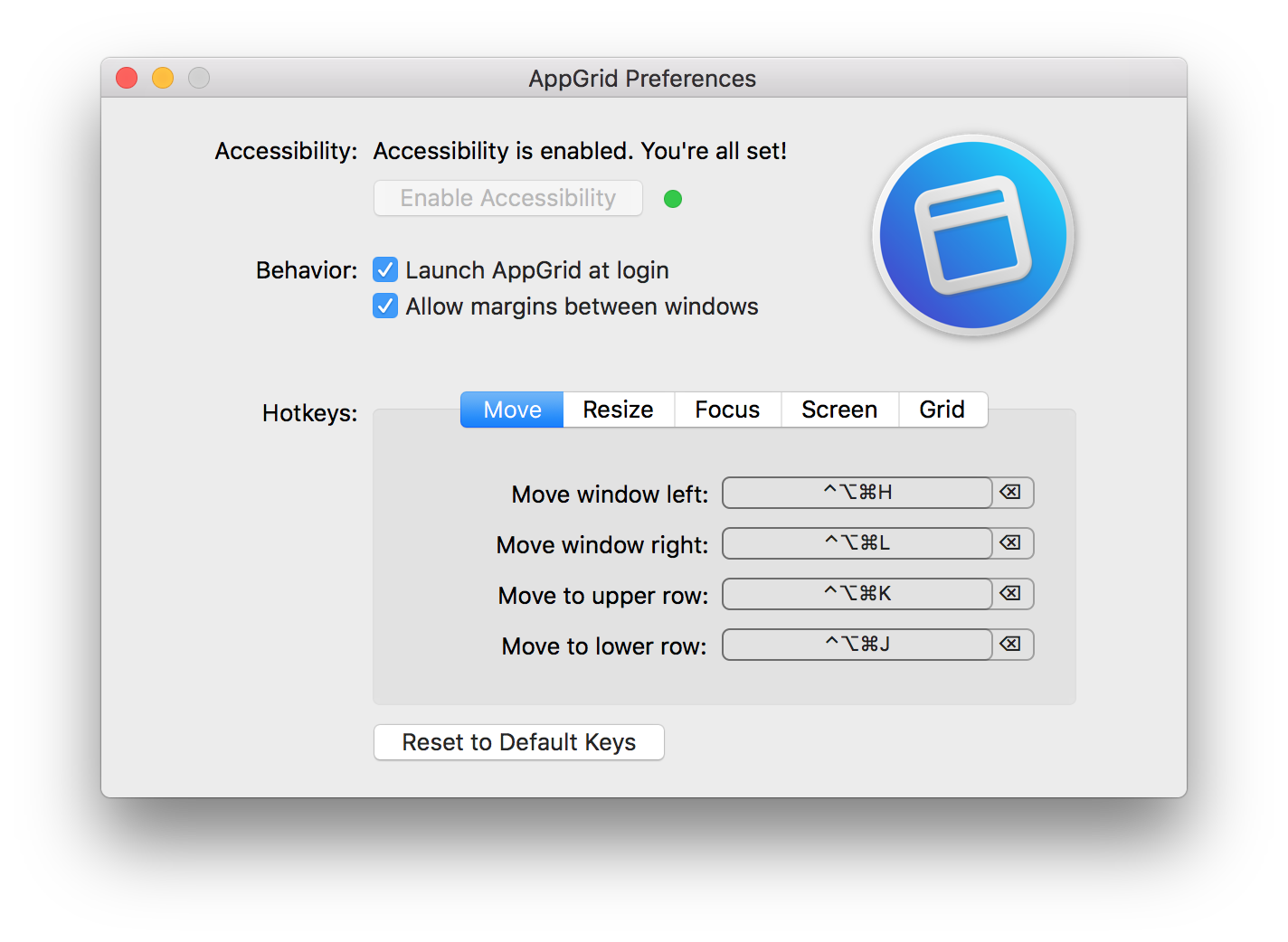
macOS window manager with Vim–like hotkeys

Tags:#Macos tiling window manager#Macos#Productivity#System#Tiling window manager#Tiling wm#Tools#Utilities#Utility#Vim#Window manager#Window tiling#Wm#system#window manager#macos#vim#productivity#tools#utility#wm#utilities#window tiling#tiling window manager#tiling wm#macos tiling window manager
License
GNU General Public License v3.0
Platforms
macOS
Other Platforms
None

macOS window manager with Vim–like hotkeys

Features

  • Move and resize windows along an invisible "grid" of your screen.
  • Keys default to Mash (cmd + ctrl + opt) and Vim keys, but are customizable.
  • Customize your common keywords
  • Easy to configure

Similar Apps

7-Zip
7-Zip License

7-Zip

a file archiver with a high compression ratio.

iZip
freeware

iZip

Manage Zip and Compressed file archives ON MAC

Archive Mounter
NOT-LISTED

Archive Mounter

Mounts archives like disk images (macOS)