mpv
a free, open source, and cross-platform media player
mpv is a free (as in freedom) media player for the command line. It supports a wide variety of media file formats, audio and video codecs, and subtitle types.
Features
Scripting
Powerful scripting capabilities can make the player do almost anything. There is a large selection of user scripts on the wiki.
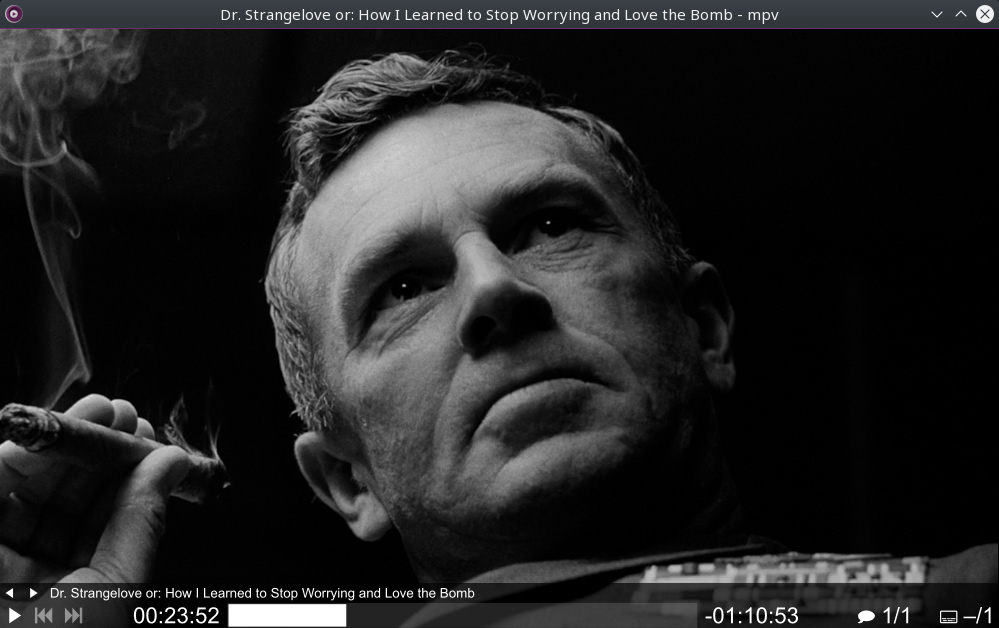
On Screen Controller
While mpv strives for minimalism and provides no real GUI, it has a small controller on top of the video for basic control.
High quality video output
mpv has an OpenGL, Vulkan, and D3D11 based video output that is capable of many features loved by videophiles, such as video scaling with popular high quality algorithms, color management, frame timing, interpolation, HDR, and more.
GPU video decoding
mpv can leverage most hardware decoding APIs on all platforms. Hardware decoding can be enabled at runtime on demand.
Embeddable
A straightforward C API was designed from the ground up to make mpv usable as a library and facilitate easy integration into other applications.
System requirements
- A not too ancient Linux, Windows 7 or later, or OSX 10.8 or later.
- A somewhat capable CPU. Hardware decoding might help if the CPU is too slow to decode video in realtime, but must be explicitly enabled with the --hwdec option.
- A not too crappy GPU. mpv's focus is not on power-efficient playback on embedded or integrated GPUs (for example, hardware decoding is not even enabled by default). Low power GPUs may cause issues like tearing, stutter, etc. The main video output uses shaders for video rendering and scaling, rather than GPU fixed function hardware. On Windows, you might want to make sure the graphics drivers are current. In some cases, ancient fallback video output methods can help (such as --vo=xv on Linux), but this use is not recommended or supported.